
Design ToolStick BA + DA pin compatible board with C8051F342 chip (with PCB USB connector).
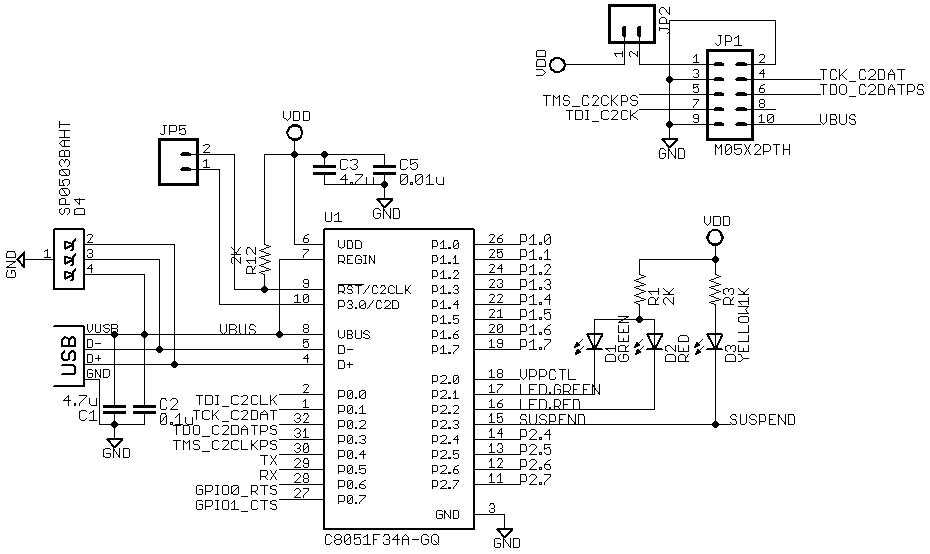
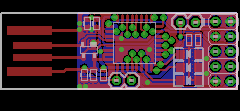
ToolStick Debug Adapter firmware available from Silabs site (as part of USB Debug Adapter Firmware Reset.exe).
Original use C8051F321 chip - but no problem with port to F342 chip.
Only one problem - How to program first adapter ?
I use Arduino compatible board (handmake pcb with single ATmeage168P chip).
Create AVR program for control C2 bus.
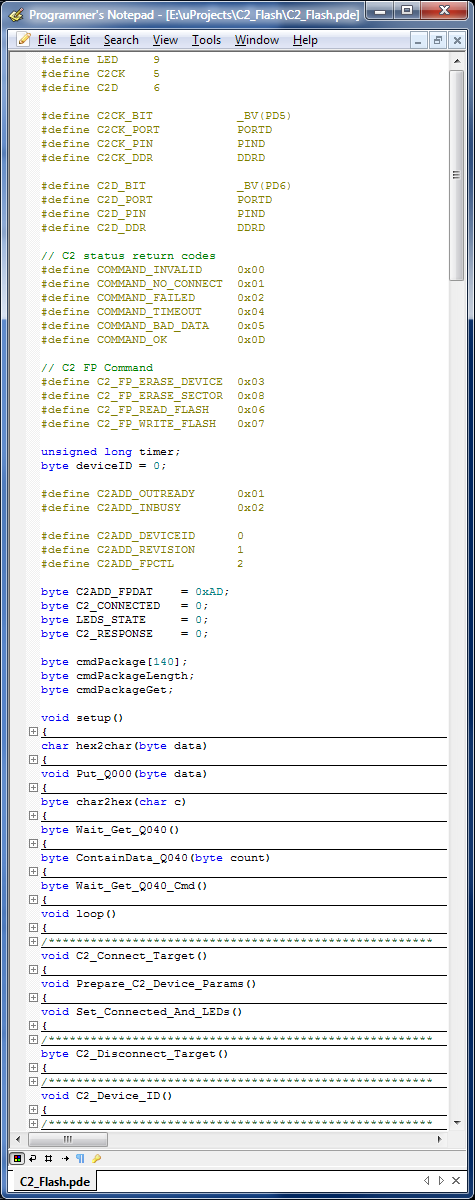
Also C# frontend
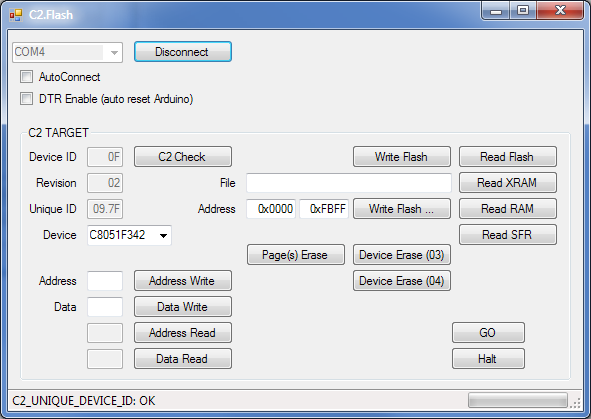
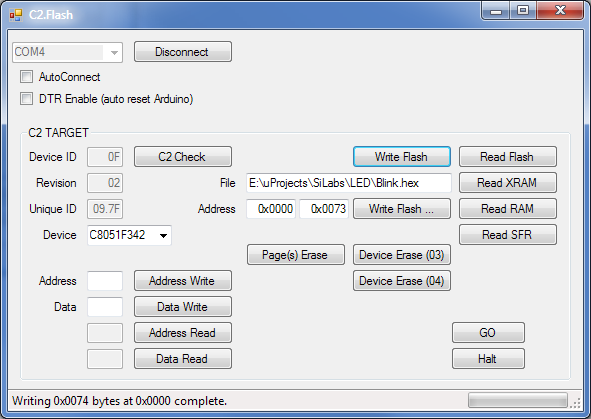
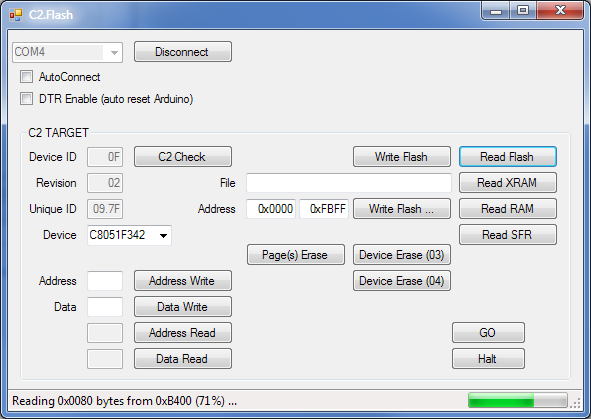
Download Blink sample to adapter and see results.
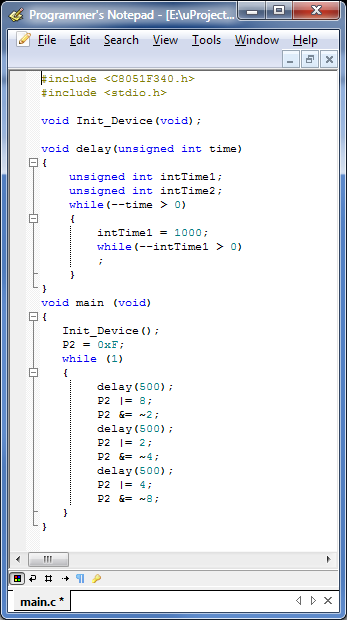
Next step - test Debug Adapter firmware on F342 chip.
Link to github with C# project (with exe file) and Arduino sketch.
Or program EC3 firmware.

20 comment(s) so far
Wow, your code rock, x893!
I was checking app note from Silabs and scratched my head how to convert the example code to Arduino. www.silabs.com/.../an127.pdf
I'll study your code and try it in my project. Thank you!
Very interesting!
Where did You get the info about the extra ID of the silabs devices?
Sorry, found it myself in AN127 1.13...
hello, load your AVR code on a pro-mini board just changed led pin to PB5 (board led) C2 bus remain untouched, mini led blink 5 times so I think all is ok.
But on PC SW try to connect to usb2serial adapter port (same used to load sketch) and fails with "A device attached to the system is not functioning"
Any advice?
Hi, check only with FTDI and CP2102 USB adapter. C# code use access to USB via system. Some USB adapters add chars to COMn name so need remove it in host program.
Tested with CP2101 from gsm usb2ttl adapter, will try FTDI later.
anyway, sniffing traffic, arduino send "C2 Flasher" but nothing comes from PC SW. I am using net 4.0 will try with and old pc and 2.0.
Thanks for the quick reply.-
HI,
I just tried this on an Arduino Uno R3 with limited success. I can connect to my C8051F340 Waveshare target, but it fails to get Unique_ID.
Does your .pde program require a certain MHz crystal on board?
Adding some waiting in the Pulse_C2CLK subroutine seemed to help.
void Pulse_C2CLK(void)
{
C2CK_PORT &= ~C2CK_BIT;
asm volatile("nop\n\t"); // 62.5 nano seconds on 16MHz
asm volatile("nop\n\t");
C2CK_PORT |= C2CK_BIT;
asm volatile("nop\n\t");
asm volatile("nop\n\t");
}
Unique ID was 7D.09
After Device Erase, it is 00.00, and Silabs tools reports the CPU as unknown.
Erasing and writing appears to work, but I cannot read anymore.
Erasing and writing probably doesn't work.
Silabs flash utility report "User Code Erase Error"
Hello guys,
I'm looking for the C2.Flask.exe file. Can you help me please?
It's in C2.Flash\bin\debug\
Or if you have the right Visual Studio version you can compile it yourself from the source.
Hi everyone,
I can't read Unique_ID. I've tried with another chip but there is the same problem. I can read Device_ID and second code but I have problem with third code (Unique_ID).
I've changed Pulse_C2CLK function as wrote Anon, but there isn't solution of this problem.
Any advice?
Could anyone send me Debug Adapter firmware which i have to upload to C8051F342 to make it work?
Where can i download it? USB Debug Reset seems it does not contains firmware to upload with this tool.
Add link to post
Thanks for EC3 firmware. It of course does not work with this schematic. You have to build full EC3 adapter (not toolstick adapter). But then it works :-)
Thanks
I am using your adaptor at arduino nano and uload sketch successful.I am using waveshare board which with C8051F02x micro which is similar to C8051F02x-DK.I am using similar pin layout I am using changing only device id but nothing happens wat can be problem
I am using your adaptor at arduino nano and uload sketch successful.I am using waveshare board which with C8051F02x micro which is similar to C8051F02x-DK.I am using similar pin layout I am using changing only device id but nothing happens wat can be problem
I am using your adaptor at arduino nano and uload sketch successful.I am using waveshare board which with C8051F02x micro which is similar to C8051F02x-DK.I am using similar pin layout I am using changing only device id but nothing happens wat can be problem
Are there anywhere the design files? Thanks in advance!